


stats.fm for Spotify
4.03.33K Reviews
App Specs
- Version
- 2.9.0
- Updated On
- License
- Free
- Downloads
- 10,000,000+
- Developer
- StatsFM B.V.
- Categories
- Music & Audio
- Platform
- Android, iOS
Screenshots
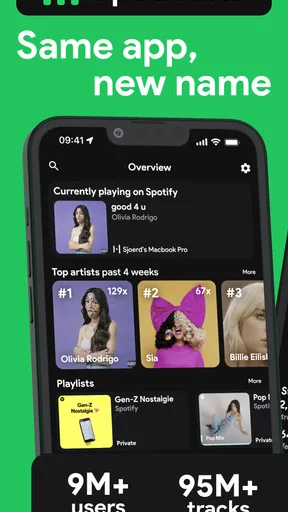
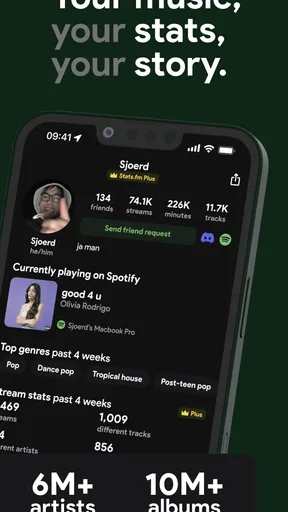
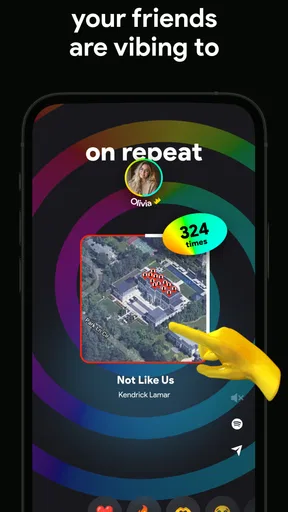

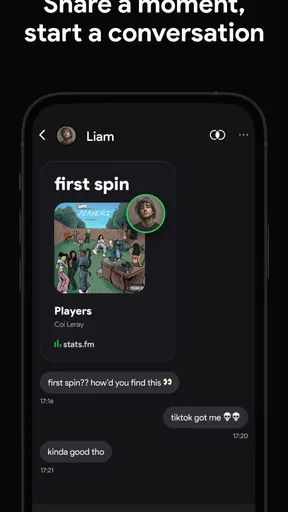
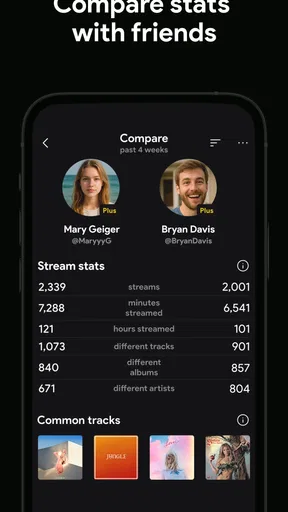
 Analysis by AppCompare
I tend to enjoy music apps most when they help me notice something I would otherwise miss: a track that quietly became part of my routine, or an artist I return to across different moods. That is the appeal of stats.fm for Spotify. It turns listening history into a personal record to browse, compare, and think about, rather than leaving those patterns hidden behind the play button.
What kind of listening history you want to see
The app is for Spotify listeners who are curious about their own habits, not for people looking to replace their music player. I’d open it after a week of exploring a new genre, for example, to see whether a few artists kept rising to the top or whether my listening was spread across many names. That kind of review can make a vague impression—“I’ve been listening to a lot of this lately”—feel more concrete.
Its value also depends on how you use Spotify. Someone who listens across playlists, albums, and artists may enjoy comparing those different parts of their history. If you mostly use another streaming service, or simply want an app that plays music, this is the wrong tool: the stats are centered on Spotify listening, and the app’s purpose is reflection rather than playback.
Speed expectations: quick checks and deeper browsing
For an ordinary visit, the useful question is not whether every screen opens instantly, but whether I can get to a satisfying answer without a lot of setup. The interface in the published review felt straightforward, and the time-range views make a quick check more meaningful: I can look at a recent period when I want to understand a current phase, then compare it with longer-term favorites. That is more useful than treating one top-track list as a complete portrait of my taste.
A practical habit is to decide what you want to learn before opening the app. If I am checking whether a new artist has become a regular listen, I can focus on the relevant time window instead of wandering through every stat. This keeps the experience light and helps prevent a stats app from becoming another feed I check without purpose. For a deeper browse, playlist details and artist listening time give me more to explore, but that extra detail is best approached as a retrospective, not as a live dashboard that needs constant attention.
Heavy-use moments: when the detail earns its place
The app is most rewarding when there is a specific question behind the numbers. I might want to compare a playlist’s tracks, see which songs have stuck around, or revisit a period when my listening changed. It can also make a shared listening conversation more concrete: instead of arguing over who has played an artist more, friends can compare their stats and use the result as a starting point for recommendations.
One useful trade-off is that a detailed view can encourage over-reading the results. A high position in a list tells me something about my listening record, but it does not explain why a song mattered or whether I still enjoy it. I treat the rankings as clues, not verdicts on my taste. If I am making a playlist for a particular mood, my own memory and judgment are still more important than a ranking.
Worth Reading Before You Choose

EA SPORTS FC Mobile 26 Is a Bigger Football Game, but It Takes Time

Flipboard Shows What News Apps Must Do Beyond the Feed

Switching to Android Auto Means Rethinking Your Driving Routine

Google Calendar Makes a Crowded Week Easier to Manage

Ludo King Makes the Most of the Minutes Between Plans

Baby Panda World Brings Quick Play to Modern Phones, but Its Game Library Feels Busy
There is also a nice everyday use for playlist stats that goes beyond curiosity. Before refreshing a playlist, I can look at which songs seem to define it and decide whether to keep its identity or take it in a new direction. That is a more deliberate workflow than adding tracks at random, and it can help me spot songs I have stopped choosing without having to delete anything on impulse.
Diving Into the Data
The first thing that caught my attention with stats.fm for Spotify is its sleek and intuitive interface. It’s like the app designers knew exactly what I wanted to see the moment I opened it. Setting it up was a breeze, just a quick login with my Spotify account, and voila, I was in!
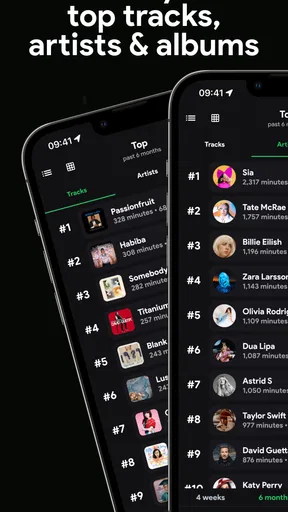
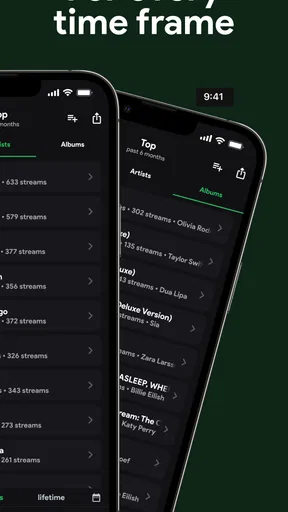
The app presents your data in a beautiful, easy-to-understand format. You get to see your top tracks, artists, and albums over different timeframes—from the last four weeks to all-time favorites. It even breaks down the number of minutes you’ve spent listening to each artist. The level of detail is impressive and a bit eye-opening, to say the least.
Features Worth Highlighting
One of my favorite features is the ability to compare stats with friends. You can check out how your taste stacks up against theirs and maybe even discover some new music. It’s like a friendly competition of who’s the biggest fan of a particular artist.
Another standout feature is the app’s ability to dive into your playlist stats. Ever wondered which songs have been on repeat in your playlists? Or how your playlists have evolved over time? This app has got you covered. It’s like having a personal music analyst at your fingertips.
And if you’re a data geek like me, you’ll appreciate the app’s ability to generate detailed reports. You can see trends in your listening habits and even get recommendations based on your activity. It’s like Spotify’s Wrapped, but available all year round!
Performance and Usability
For readers asking whether stats.fm is a separate player, I’d think of it as a companion to Spotify instead. Its appeal is making listening history easier to inspect; it does not replace the familiar act of choosing and playing music. That distinction matters if you want one app to do everything, but it is a strength if you already like Spotify and want a focused way to look back at what you hear.
In the Music & Audio category, the usual alternative is to rely on Spotify’s own listening summaries or simply remember what has been on repeat. A year-end recap is satisfying, but it is tied to a particular moment; stats.fm is more suited to casual check-ins throughout the year. Memory is effortless, but unreliable when you are trying to compare playlists or distinguish a brief obsession from a lasting favorite. I would still use Spotify itself for discovery and playback, then open stats.fm when I want to examine the listening trail.
Setup is another practical consideration. The original experience described a quick Spotify login, which makes sense for someone already comfortable connecting an account. I would take a moment to review sharing choices before comparing results with friends, especially if I prefer to keep my listening private. Sharing can make the app more social, but the best setting is the one that matches how comfortable I am with other people seeing my taste.
Reliability and sensible expectations
The published experience found smooth operation and no crashes, which is reassuring for ordinary browsing, though I would not treat that as a guarantee that every device or session will behave identically. My expectation for a stats tool is that it should be easy to return to and useful when I have a spare minute; I would not depend on it as a real-time record for a decision that needs perfect precision. If a page takes longer to populate than expected, I would first give the app a moment and check again rather than assuming my listening history has disappeared.
Because the app is built around Spotify history, a change in what I listen to is more interesting than a single snapshot. A new work playlist, a long commute, or a week of replaying one album can shift recent rankings. I would compare a shorter time range with all-time favorites before drawing conclusions. That small check helps separate a temporary phase from a genuine long-term favorite and makes the stats more useful without requiring any elaborate analysis.
Device constraints and who should skip it
stats.fm is a free app from StatsFM B.V., with optional in-app purchases priced from under a dollar to several hundred dollars per item. It is rated for Teen audiences, has a 4.3 average from around 106,000 ratings, and has been installed over 5 million times. The current version is 1.13.5, and it requires Android 7.0 or later. Those details make it easy to judge whether it fits an older Android device and whether the free experience is the right place to start; I would check what an optional purchase offers before paying, rather than assuming I need one to satisfy basic curiosity.
The app is not a great match for someone who avoids connecting services, does not use Spotify, or has no interest in reviewing listening habits. It may also feel like unnecessary overhead if I only want a quick song recommendation or a player with minimal extras. On the other hand, a music fan who likes organizing playlists, comparing taste with friends, or tracking how a listening phase develops has a clear reason to keep it around. Its Teen content rating is worth noting for households choosing apps for younger users, even though the central activity is reviewing music statistics.
For a realistic routine, I can imagine checking the app on a Sunday while tidying a playlist for the week. I would look at recent top tracks, notice which songs are taking over, then compare those with the artists I have returned to over a longer period. If a friend is also exploring the same genre, comparing stats can turn that moment into a low-pressure exchange of recommendations. The point is not to optimize listening; it is to use the record as a prompt for choices I might enjoy.
Performance and Usability
Now, let’s talk about performance. The app runs smoothly, and I didn’t encounter any bugs or crashes. The loading times are quick, which is a relief when you’re eager to see your stats. The navigation is straightforward, making it easy for anyone to use, even if you're not tech-savvy.
I also appreciate that the app respects my privacy. You have control over what data you share and with whom. It’s nice to know that my musical preferences aren’t being broadcast to the world unless I choose to share them.
Final Thoughts
So, should you download stats.fm for Spotify? Absolutely, if you’re a Spotify user who loves diving deep into your music habits. It’s not just an app; it’s a tool for understanding your musical journey, discovering new trends, and sharing your taste with friends.
The insights I gained from using the app were not just fun; they were enlightening. It gave me a new appreciation for the music I love and how I interact with it. Plus, it’s a great conversation starter with friends.
In a nutshell, stats.fm for Spotify is a must-have for any music lover who wants to get more out of their Spotify experience. It’s fun, informative, and incredibly easy to use. So, why not give it a try and see your music world in a whole new light?
Pros
- Seamless integration with Spotify.
- Detailed listening analytics.
- User-friendly interface.
- Customizable music stats.
- Social sharing features.
Cons
- Limited features in free version.
- Occasional sync delays.
- Requires Spotify Premium.
- No offline access.
- Ads in free version.
FAQs for stats.fm for Spotify
What is stats.fm for Spotify?
Stats.fm for Spotify is an app designed to provide users with detailed insights into their Spotify listening habits. It offers personalized statistics such as top tracks, artists, and genres over various time periods. This app helps users understand their music preferences and discover new tracks based on their listening history.
Is stats.fm for Spotify free to use?
The app offers a free version with basic features, allowing users to view their top tracks and artists. However, it also provides a premium version through in-app purchases, which unlocks more advanced features such as extended listening history, additional insights, and customization options.
How does stats.fm for Spotify access my Spotify data?
Stats.fm for Spotify connects to your Spotify account through the Spotify API. Upon granting permission, the app accesses your listening history to generate personalized statistics. Your data is handled securely, and you can revoke access at any time via your Spotify account settings.
Can I use stats.fm for Spotify offline?
The app primarily requires an internet connection to retrieve the latest data from your Spotify account and update your statistics. However, once the data is downloaded, you can view your insights offline until the next update is needed, at which point an internet connection will be required again.
How often does stats.fm for Spotify update my statistics?
Stats.fm updates your listening statistics regularly, depending on your usage and the settings you choose. You can manually refresh your data within the app to get the most current insights, ensuring that your statistics reflect your latest Spotify activity.


